![S_Icon_03.png]](https://support.swimmingly.app/hs-fs/hubfs/S_Icon_03.png?height=50&name=S_Icon_03.png)
Given That
I am a club admin setting up for a meet
I Want To
Provide hard copy heat sheets to volunteers, starter etc.
Solution
To print your heat sheet, follow these steps to generate your Heat Sheet PDF!
On a Mac using Chrome browser
- After merging your heat sheet
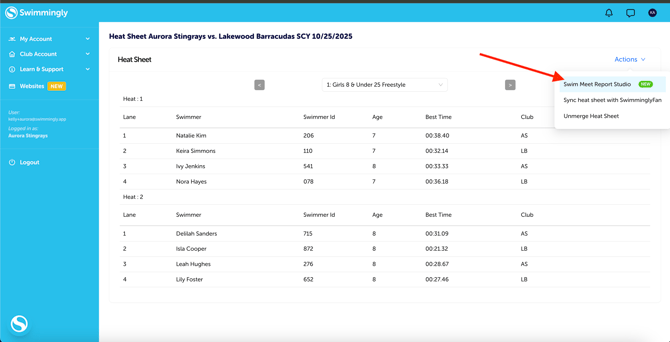
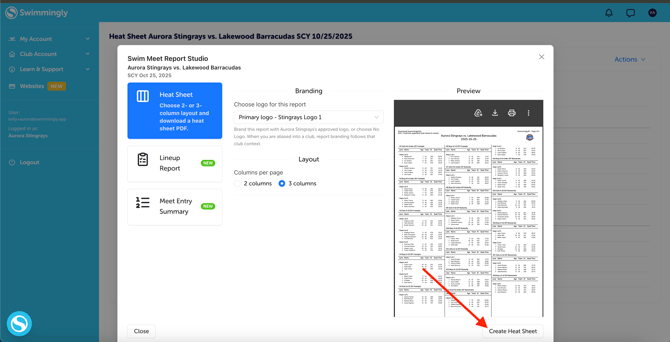
- On the heat sheet screen, select Actions > Swim Meet Report Studio > Create Heat Sheet (adjust the settings to 3 columns or 2 columns and add your team logo depending on your preference)
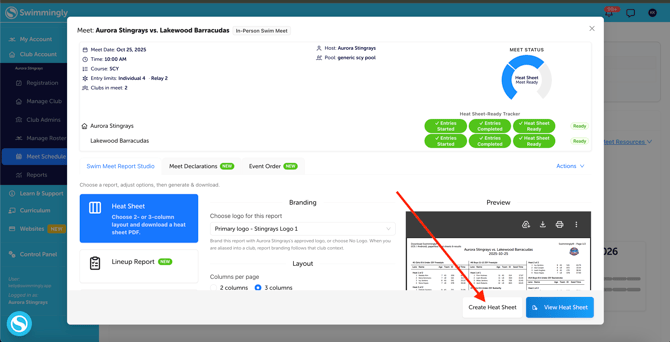
You can also download and print your heat sheet right from the original meet info card (after you've merged your heat sheet) without needing to click into the Clubhouse heat sheet.
"How do I conserve more paper?"
Full Commit Solution: Go green with SwimminglyFan. Heat Sheet is available in a paperless format on the SwimminglyFan app.
Half-Measure Solution: Ensure you're printing front & back, and provide hard copies only to key volunteers & encourage everyone else to use SwimminglyFan!
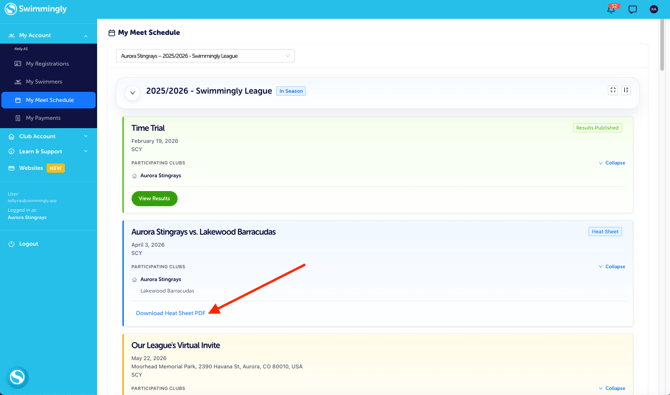
As a parent, you can also print a heat sheet from your Clubhouse account once it is ready to go.
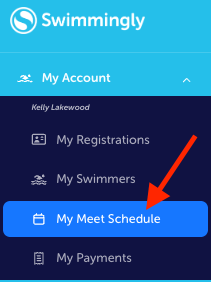
Navigate to "My Meet Schedule"
Click "Download Heat Sheet PDF"