![S_Icon_03.png]](https://support.swimmingly.app/hs-fs/hubfs/S_Icon_03.png?height=50&name=S_Icon_03.png)
The Swimmingly® Clubhouse supports exporting meet entries in the SDIF (.SD3), CL2, and HY3 file formats per USA Swimming's requirements (publisher of this file type).
Other systems that may support these file formats include:
- TeamUnify Touchpad
- SwimTopia Meet Maestro
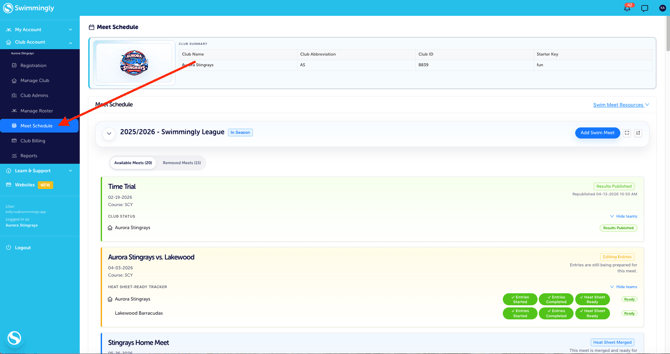
Step 1: Log into your Club Admin account in the Swimmingly® Clubhouse
Click on the Meet Schedule tab
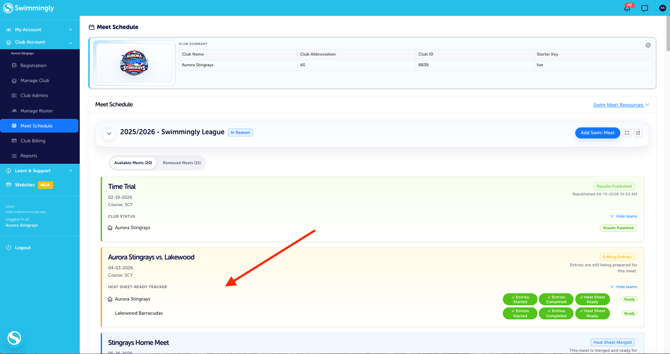
Step 2: Locate your swim meet (in the entries phase) and click on the Meet box
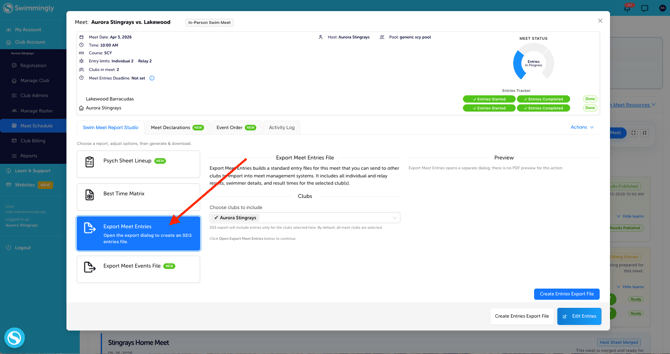
Step 3: Select the "Export Meet Entries" option in the Swim Meet Report Studio
Step 4: Select "Create Entries Export File"
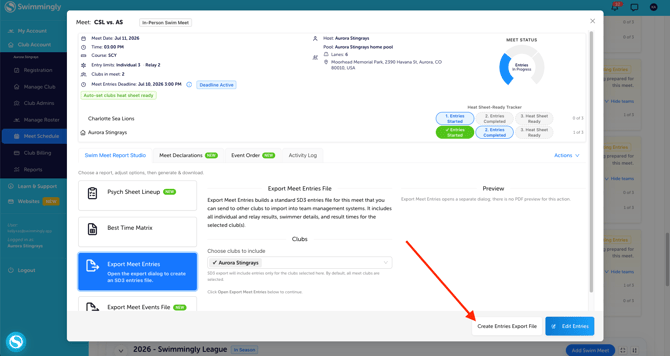
Step 5: Confirm your export format as well as your LSC and Team Codes
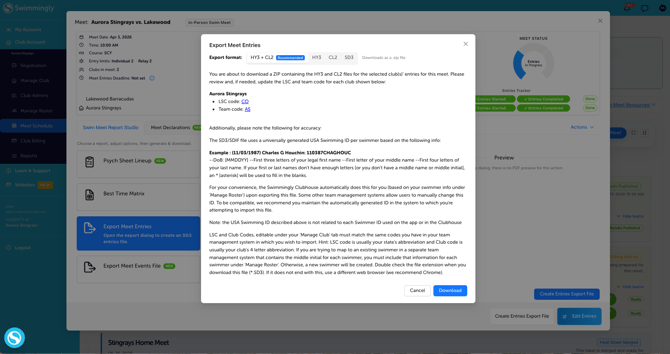
Please make sure that your LSC and Team Codes in the file you export (available to edit under your Manage Club tab, and also, at the time you export) match the LSC and Team Code in the software system you are importing your team's entry file into.
Please note: This "transfer file process" relies on the the file exchange between pieces of software. Swimmingly® is compatible with the SDIF (.SD3), HY3, and CL2 file specifications, but we are unable to verify compatibility with other systems because verification between Swimmingly and the final destination of the file is not possible. We fully support any questions around the file we provide, but we cannot provide support/troubleshooting for other software systems.
Our standing recommendation to other swim software companies is cooperation around an open API between software platforms to provide a better experience to swim team/meet admins.
Please note: that the Swimmingly Clubhouse does not support the export of exhibition entries. This limitation is due to compatibility issues with other outdated systems. The import and export file types (.SD3, .HY3, and .CL2) do not have the capability to include exhibition swims. Unfortunately, these file types have never supported exhibition swims, so it is not possible to include them in the import and export functionality.
Need to IMPORT meet entries for an upcoming swim meet? Click HERE to learn how.