![S_Icon_03.png]](https://support.swimmingly.app/hs-fs/hubfs/S_Icon_03.png?height=50&name=S_Icon_03.png)
Viewing the Best Time Matrix
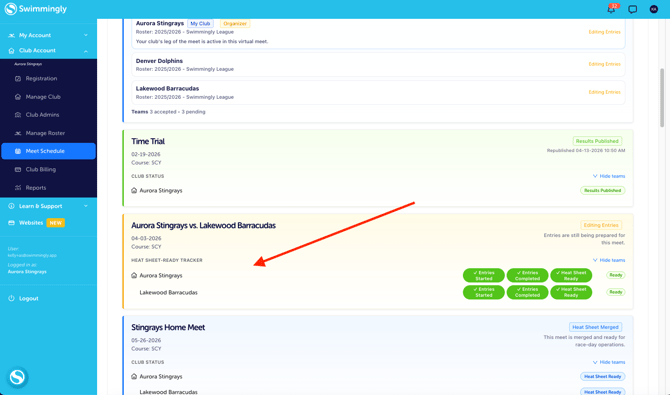
Step 1: Log into your Club Admin account in the Swimmingly® Clubhouse
Step 2: Navigate to your Meet Schedule and select any meet where the heat sheet has not been merged or results have not been published.
This report provides a full list of your swimmers along with their fastest recorded time in each eligible event.
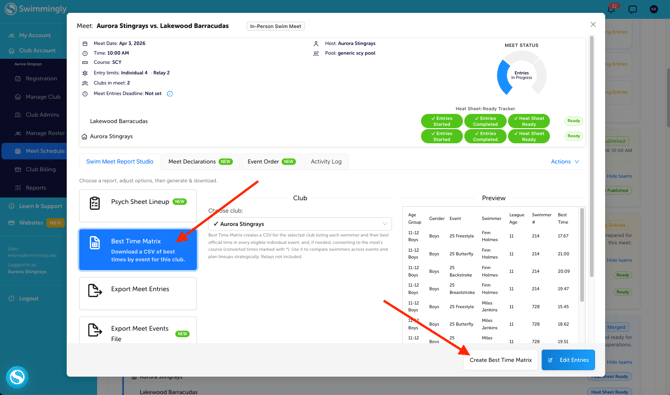
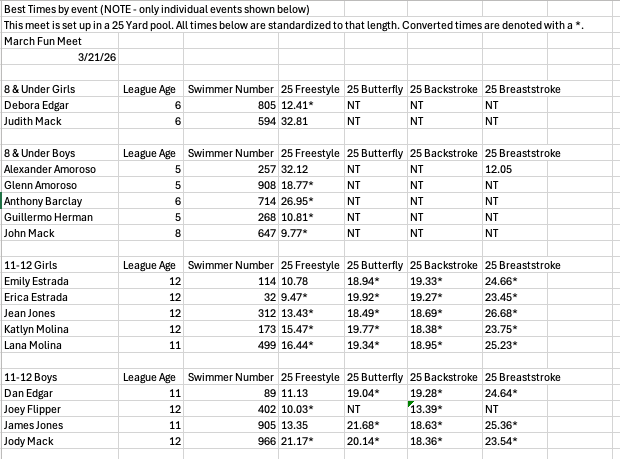
TIP: The Best Time Matrix can be helpful when reviewing swimmer performance or planning meet entries.
How Best Times Are Determined
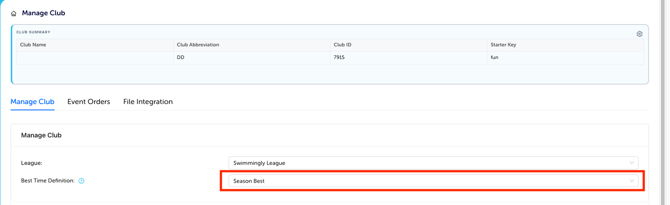
The times shown in the Best Time Matrix depend on the setting configured under the "Manage Club" tab.
Times may be displayed based on:
• Season Best: If you select your best time definition as season best, your entries for each meet and your time improvements from each meet will be based on the swimmer's season best. Only times achieved in the current season will be considered personal bests for the purpose of entry times, and time improvements for meet results will only be compared with other times achieved during the same season.
• All Time Best: If you select your best time definition as all time best, your entries for each meet will use each swimmer's all time best — regardless of the season in which the time was achieved. Time improvements in meet results will be compared to all time best times, regardless of the season in which the previous best time was achieved.
Your club’s selected setting determines which times appear in the report. You can change this anytime.
Viewing Best Times While Creating Meet Entries
You can also see a swimmer’s best times while entering swimmers into a meet by event.
Step 1: Navigate to Meet Entries *BY EVENT*
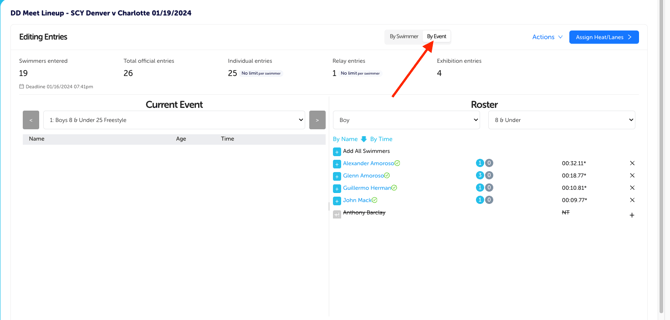
Step 2: Select the swimmer's name & Click into the specific event
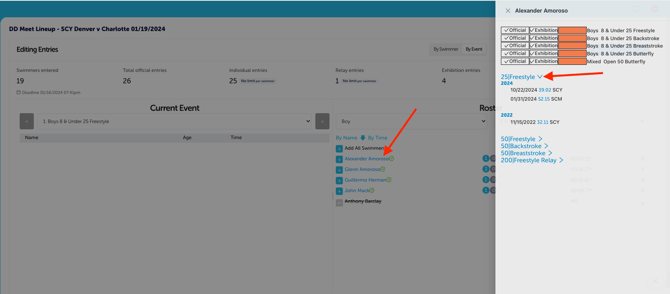
You will see the swimmer’s previously recorded times sorted by year and fastest to slowest.
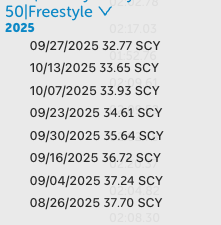
This allows you to quickly review performance history when deciding which events a swimmer should enter.
TIP: The Best Time Matrix provides a team-wide overview, while the Meet Entries view allows you to check times for individual swimmers while building lineups.