![S_Icon_03.png]](https://support.swimmingly.app/hs-fs/hubfs/S_Icon_03.png?height=50&name=S_Icon_03.png)
Turn On Registration Caps
Go to Step 4: Roster Caps in your Premium Registration setup and turn on Registration caps.
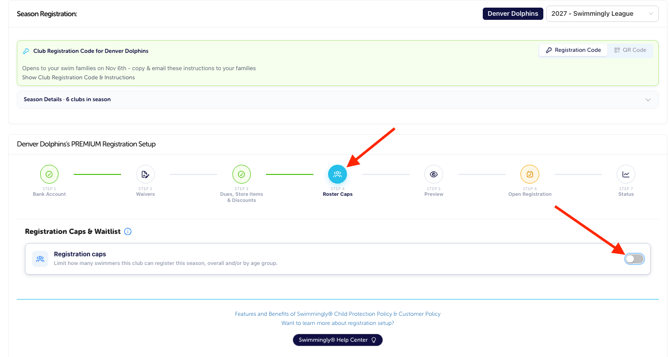
Choose which limits you want to set:
| Cap Type | How It Works |
|---|---|
| Overall Cap Only | Set one limit for the total number of swimmers registered for the season. |
| Overall + Age Group | Set an overall roster limit and separate limits for each age group. A swimmer must fit within both limits to register. |
| Age Group Only | Set separate limits for each age group without an overall roster limit. |
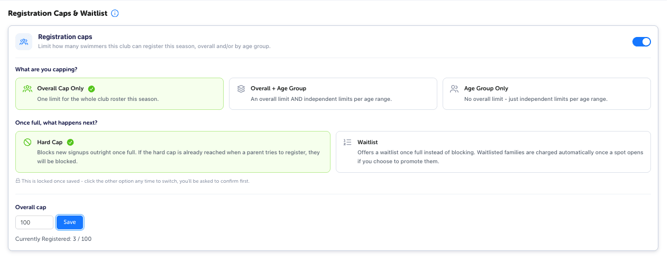
For an overall cap, enter the maximum number of swimmers and click Save. The Currently Registered count shows how many spots are filled.
For age group caps, enter limits for the applicable age ranges. Select All swimmers to count girls and boys together, or Split by sex to set independent girls and boys limits. Click "Save" for each cap you set.
Age ranges are based on your settings under Manage Club → Age Groups.
Choose What Happens When a Limit Is Reached
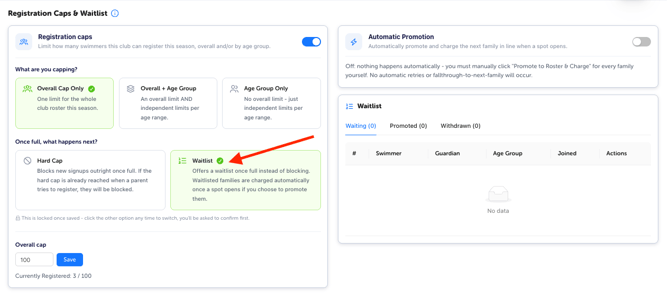
Under Once full, what happens next?, choose Hard Cap or Waitlist.
Hard Cap
A hard cap blocks checkout for swimmers who exceed an applicable limit. Parents must remove those swimmers from their cart before checking out the rest of their family.
Blocked swimmers are never charged, and no waitlist is offered.
For example, if your overall cap is 200, additional swimmers cannot register once 200 spots are filled.
Waitlist
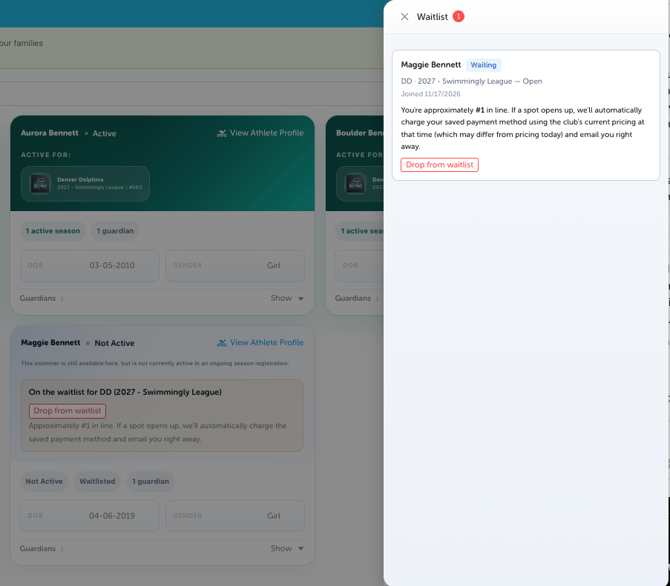
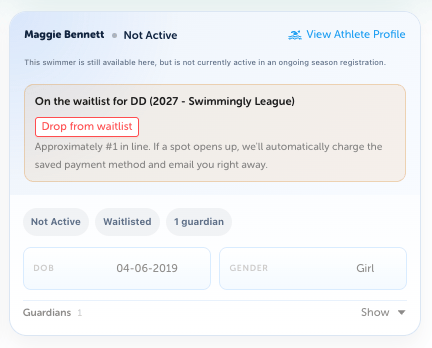
Waitlist mode allows swimmers who exceed an applicable limit to join a waitlist during checkout.
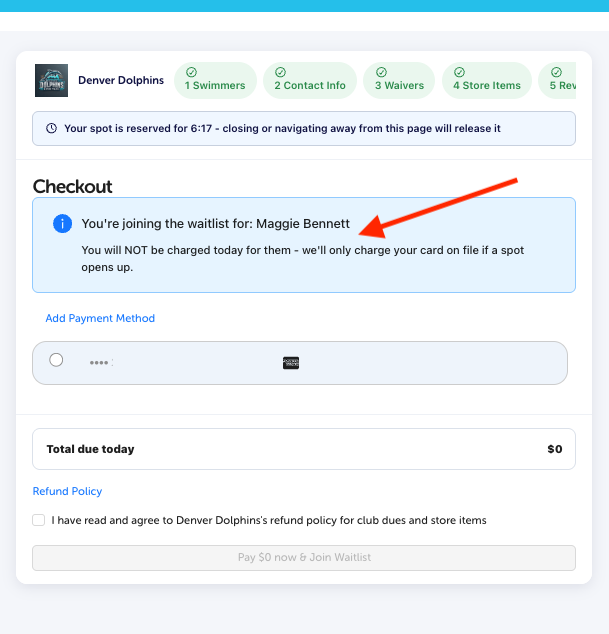
Parents complete checkout and provide payment information. Swimmers who fit within the caps are registered and charged immediately. Waitlisted swimmers are not charged when they join, and no invoice or charge is created for them at that time.
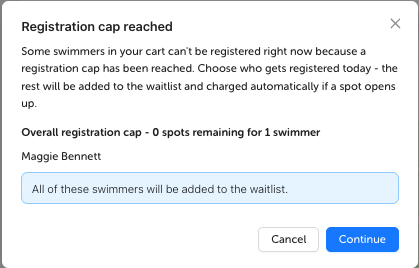
This means a family can register one swimmer while another joins the waitlist. Joining the waitlist does not guarantee a roster spot.
After saving your Hard Cap or Waitlist selection, you can switch by clicking the other option and confirming the change.
How Overall and Age Group Caps Work Together
When you use Overall + Age Group, a swimmer must fit within both the overall cap and their applicable age group cap.
For example, with an overall cap of 200 and a 9–10 age group cap of 30, a 9–10 swimmer reaches capacity when either limit is full, even if the other still has room.
With waitlist enabled, that swimmer waits for an eligible 9–10 opening. An opening in another age group alone does not make them eligible for promotion. Separate girls and boys limits are also considered when enabled.
Promote Swimmers from the Waitlist
A spot can become available when a registered swimmer is removed or you increase a cap. You can manage promotions automatically or manually.
Automatic Promotion
Turn on Automatic Promotion to let the system process available spots during its nightly sweep.
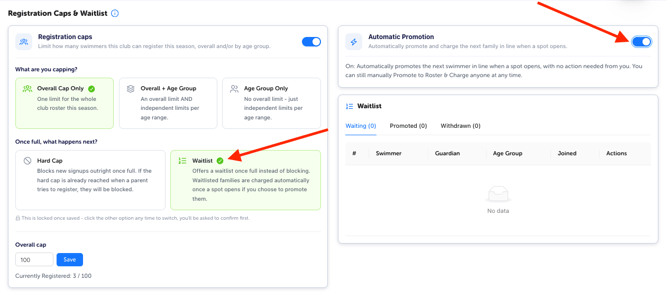
The system selects the next eligible swimmer in waitlist order based on the available overall, age group, and girls/boys capacity, as applicable. It charges the family’s card on file. Once payment succeeds, the swimmer is registered and the guardian receives an email receipt.
Automatic promotion happens during the nightly sweep, so an opening does not necessarily result in an immediate promotion.
Manual Promotion
Use Promote to Roster & Charge to manually promote a swimmer and charge the family’s card on file.
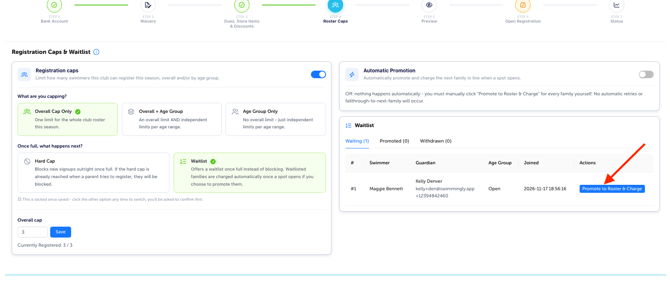
Admins can manually promote swimmers out of waitlist order or above the cap. Manual promotion remains available when Automatic Promotion is turned on.
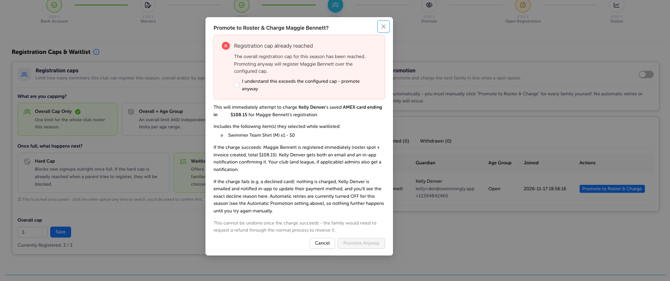
If a Payment Fails
If a promotion payment fails, the guardian receives an email asking them to update their payment method.
With Automatic Promotion turned on, the system retries automatically up to three times over a 48-hour grace period. If all retries fail, the waitlist entry expires and the guardian is emailed. The next eligible swimmer for that same slot is then automatically promoted and charged.
Turning off Automatic Promotion stops the entire nightly process, including payment retries and automatic promotions. When it is off, admins must use Promote to Roster & Charge for each family.
Review and Manage Your Waitlist
The Waitlist section includes these tabs:
- Waiting: Swimmers currently waiting for a roster spot.
- Promoted: Swimmers who have been promoted to the roster.
- Withdrawn: Swimmers who have been withdrawn from the waitlist.
Review each swimmer’s guardian, age group, and date joined in this section. Parents will receive a notification and can withdraw their own swimmers from the waitlist, and admins can withdraw swimmers as well.