![S_Icon_03.png]](https://support.swimmingly.app/hs-fs/hubfs/S_Icon_03.png?height=50&name=S_Icon_03.png)
Given That
I am a Club Admin
I Want To
Add or modify my club's age groups for reporting
Solution
Navigate to the Manage Club > Age Groups tab to add/edit
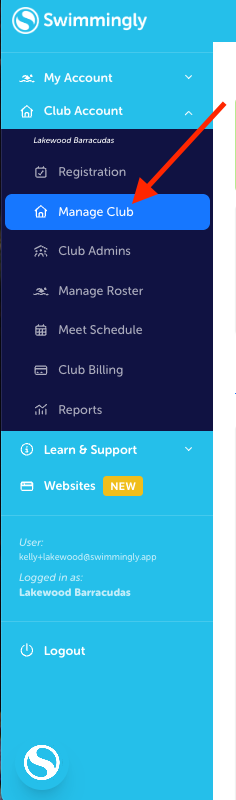
Step 1: Login as a Club Admin
Click on the Manage Club tab
Step 2: Click on the Age Groups tab
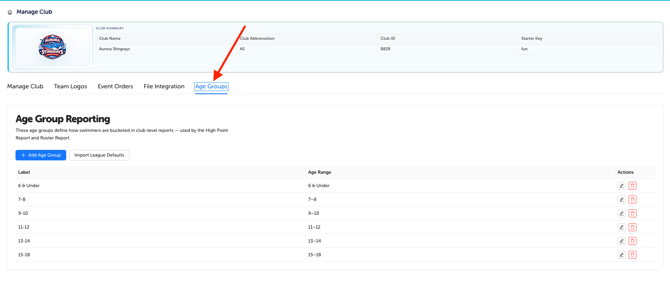
Step 3: Manually add your Age Groups or Import From Your League's Default Age Group Settings
If you are a LEAGUE Admin and would like to create age groups that are available for all teams in the league, click here.