How do I upload images or my logo to the Media Library?
You can upload all pictures that you plan to use on your website to the Media Library. It will make it easier to add it to your website in the future, especially if you plan to use the image/logo in multiple places on the website.
Step 1: Open your project
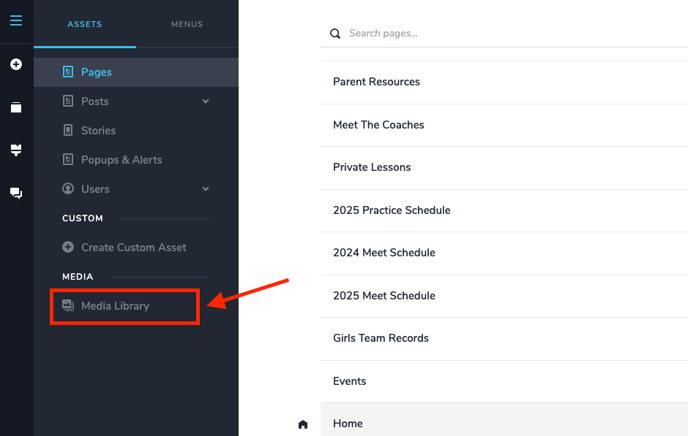
Step 2: Select the hamburger menu in the top left corner
Step 3: Select the media library
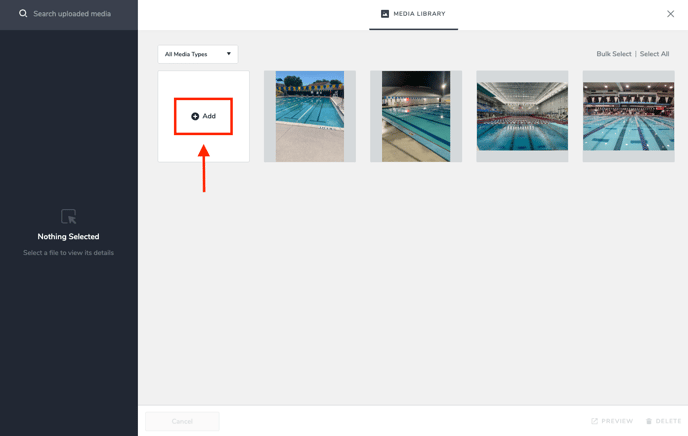
Step 4: Click "+Add" and find your image or logo to upload.
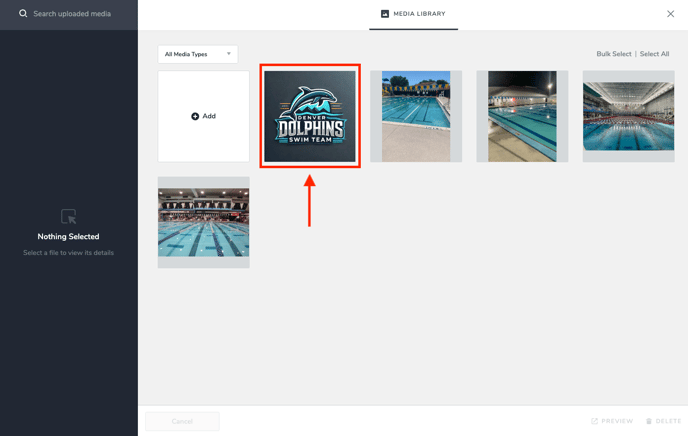
Step 5: You should now see your image in your media library!
![S_Icon_03.png]](https://support.swimmingly.app/hs-fs/hubfs/S_Icon_03.png?height=50&name=S_Icon_03.png)