![S_Icon_03.png]](https://support.swimmingly.app/hs-fs/hubfs/S_Icon_03.png?height=50&name=S_Icon_03.png)
Step 1: Select the hamburger menu
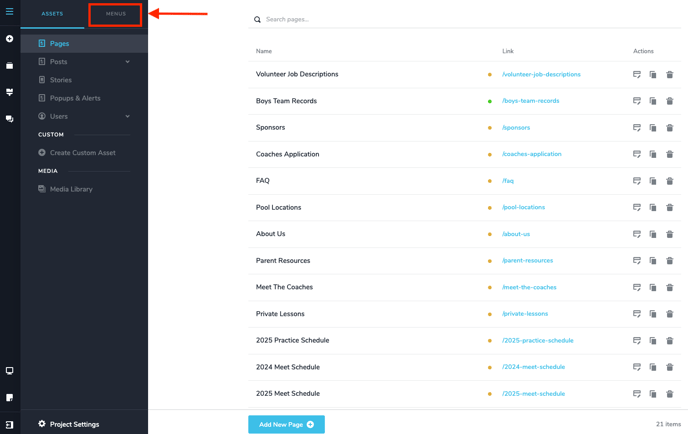
Step 2: Select Menus
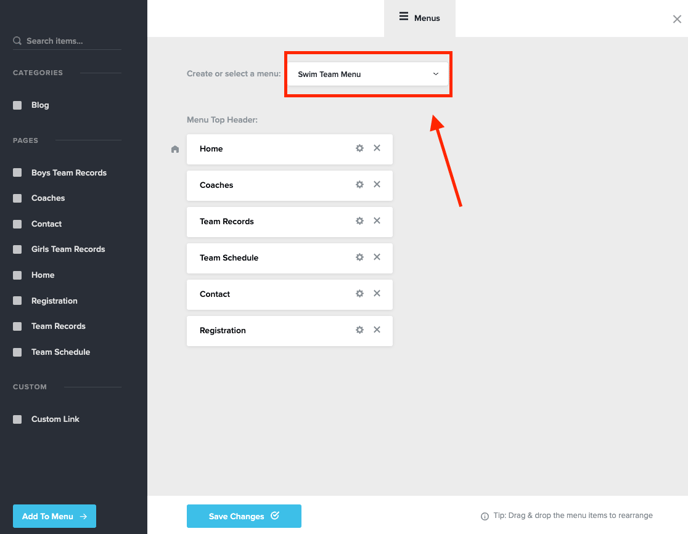
Step 3: Select the correct menu you're working with.
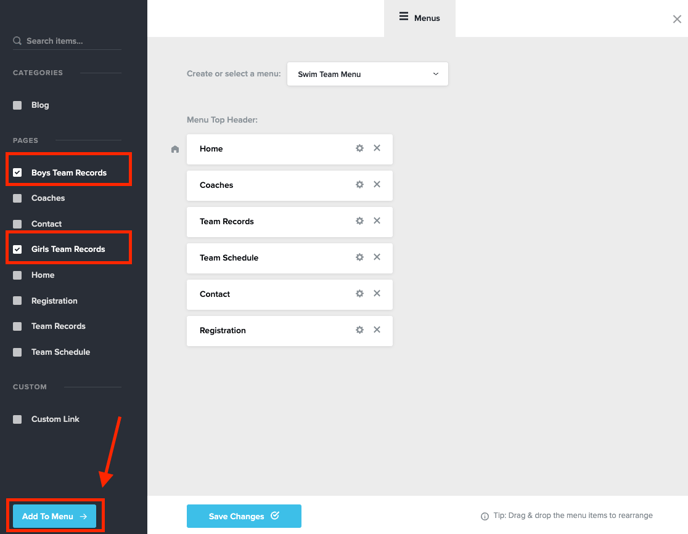
Step 4: Select the checkmark next to the pages you want to add. Click "Add To Menu" *Note* Your pages MUST be published before they will appear here. If your pages are drafts, they will not appear as an option here.
Step 5: Drag and drop the pages to the correct location. If a page(s) is indented, it will appear as a drop down menu underneath the main menu option above it.
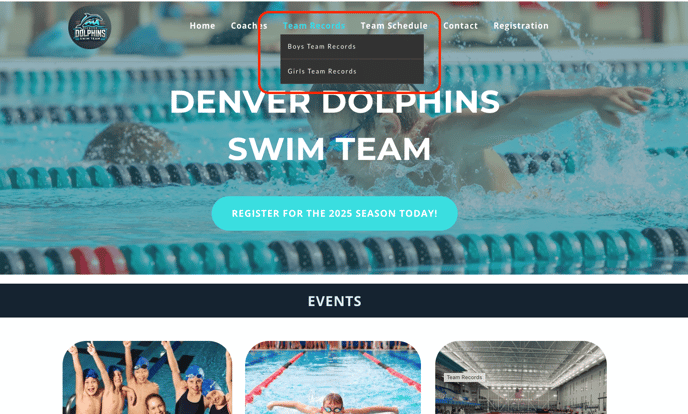
Here's what the actual website will look like when you hover over "Team Records" in the main menu: