![S_Icon_03.png]](https://support.swimmingly.app/hs-fs/hubfs/S_Icon_03.png?height=50&name=S_Icon_03.png)
As a:
Swimmingly Website User
I Want To:
Make my website searchable on Google
So That:
Parents, swimmers, and your community can easily find your team online
Solution:
Submit your website to Google and enable SEO settings
Step 1: Add Your Website to Google Search Console
Go to: https://search.google.com/search-console/about
- Click "Start Now"
- Sign in with your Google account
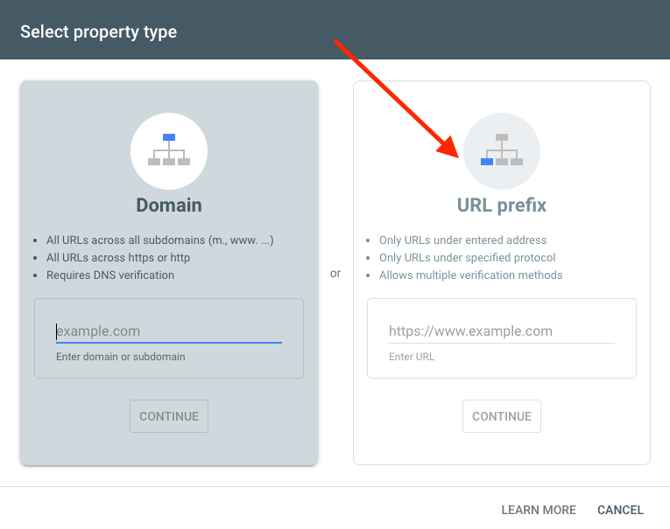
- Click Add Property
- Use URL prefix
- Enter your full website URL
Example: https://yourteam.swimmingly.site
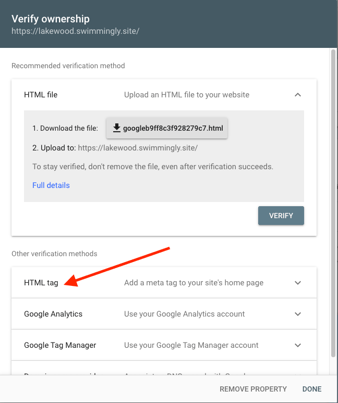
 Verify ownership:
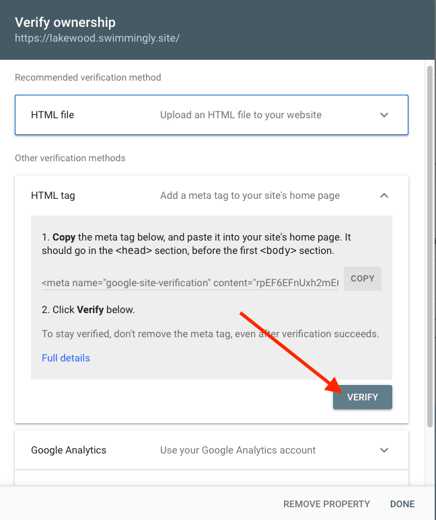
- Select the HTML tag verification method (not HTML file)
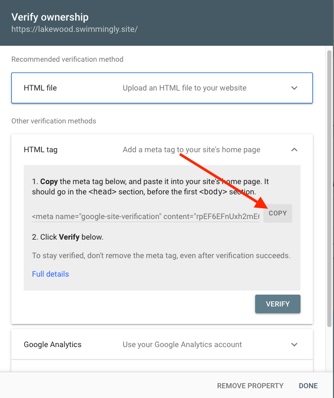
- Copy the full HTML meta tag provided
Then in your Swimmingly Website Editor:
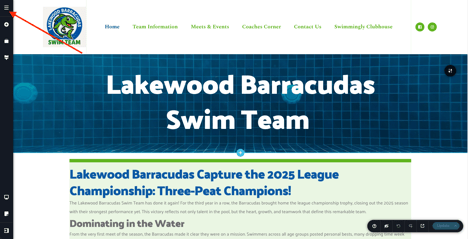
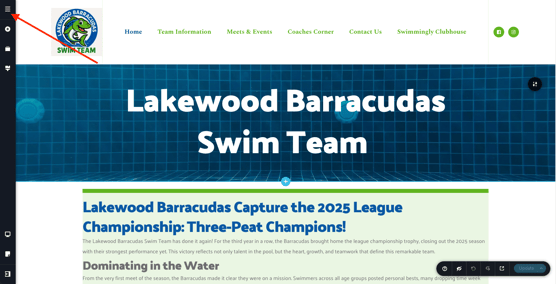
- Go to the "hamburger" button and select Project Settings
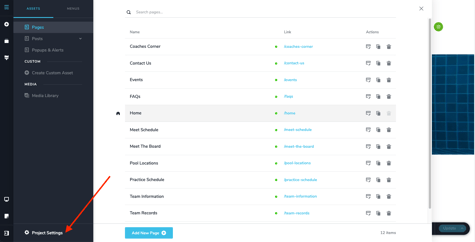
- Click </> Code and paste the meta tag into Code Injection > Header section.
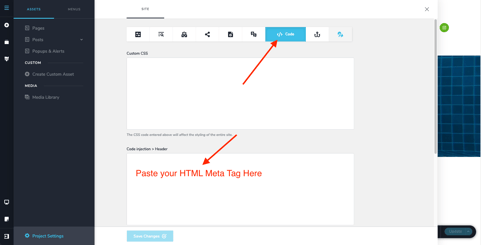
- Save your changes
Return to Google Search Console and click "Verify"
Step 2: Submit Your Sitemap
In Google Search Console:
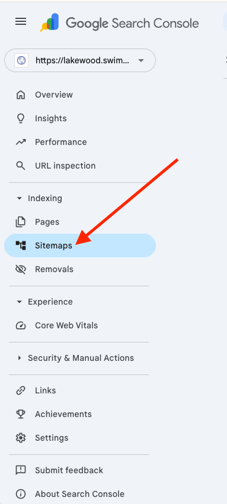
- Click Sitemaps in the left-hand menu
- Enter your sitemap URL (add sitemap.xml)
Example: https://yourteam.swimmingly.site/sitemap.xml
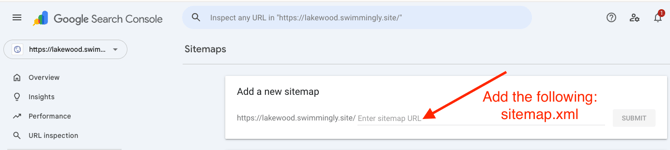
- Click Submit
This helps Google find and organize all pages on your site.
Step 3: Enable SEO Settings in the Website Editor
In your website editor:
- Click the hamburger menu (top left) and select Project Settings
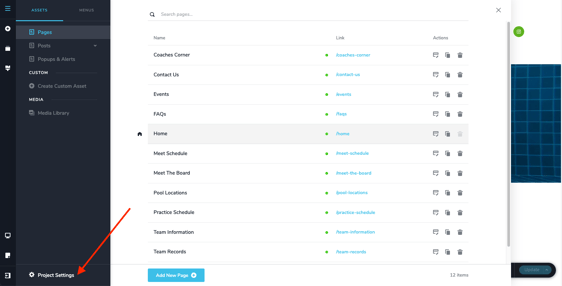
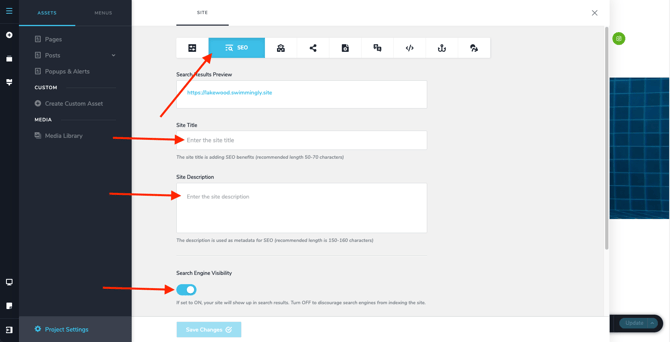
- Go to the SEO section
- Fill out:
-
-
- Site Title
- Site Description
- Turn ON Search Engine Visibility
- Click Save Changes
-
Important Notes
- It can take a few days to a few weeks for your site to appear in search results
- You only need to complete these steps once per website
- Updating your site content regularly helps improve visibility over time
If you need help with any of these steps, reach out to us and we can help walk you through it.