![S_Icon_03.png]](https://support.swimmingly.app/hs-fs/hubfs/S_Icon_03.png?height=50&name=S_Icon_03.png)
As a:
Club Admin
I Want To:
Download the Relay Availability Report for an upcoming meet, so I can see which swimmers are available for relays when building relay lineups.
Solution: Navigate to an upcoming swim meet on your Meet Schedule and download the Relay Availability Report.
Step 1: Log into your Club Admin account in the Swimmingly® Clubhouse
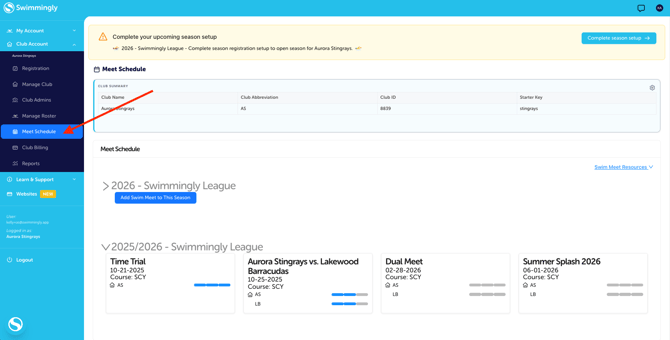
Click on the Meet Schedule tab
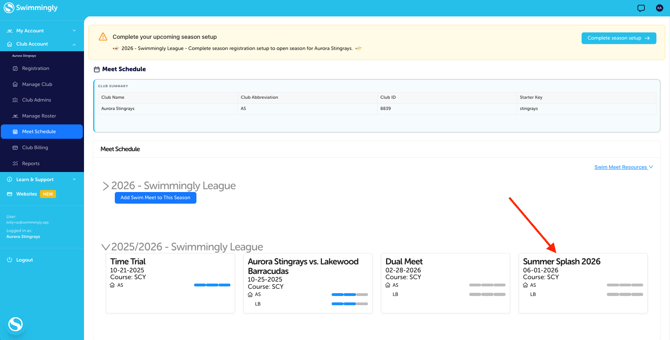
Step 2: Select the upcoming meet on your Meet Schedule
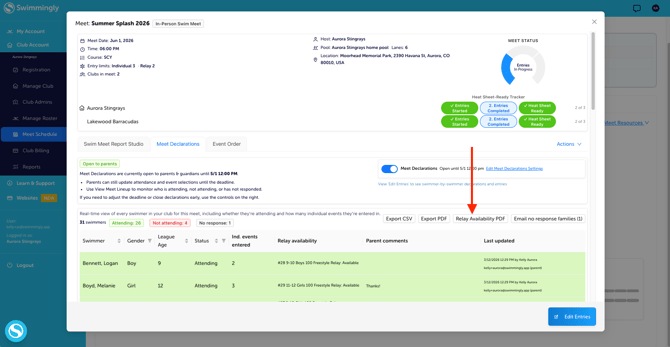
Step 3: Select "Relay Availability PDF"
TIP: You can also see relay availability on the same screen.
For instructions on how a Parent can complete Meet Declarations, click here