![S_Icon_03.png]](https://support.swimmingly.app/hs-fs/hubfs/S_Icon_03.png?height=50&name=S_Icon_03.png)
Parent: How to request a refund/roster removal
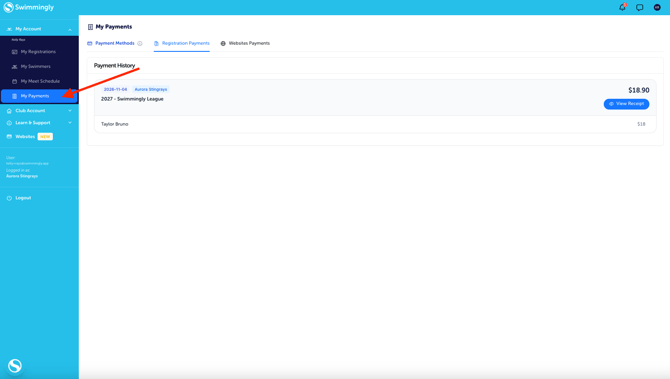
Step 1: Login to the Clubhouse and navigate to the "My Payments" tab.
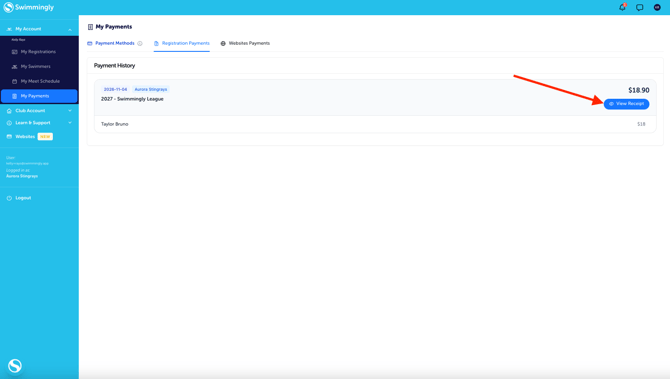
Step 2: Click "View Receipt"
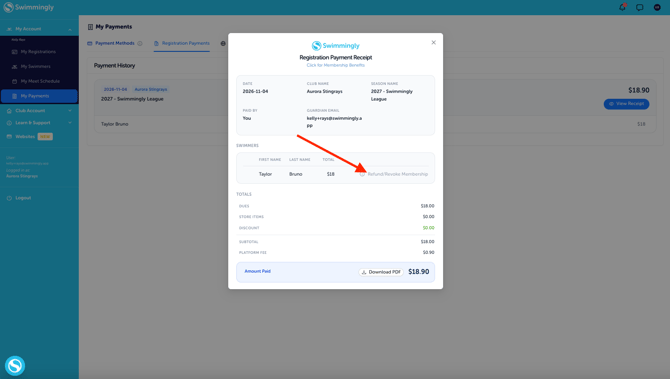
Step 3: Click "Refund/Revoke Membership" (Please note, this will only allow you to proceed if you're within the refund policy window).
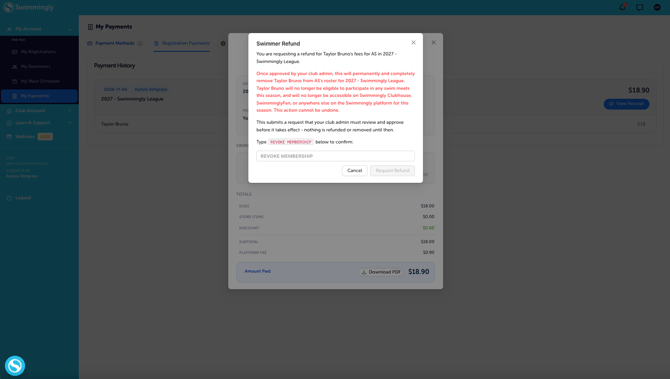
Step 4: Read the information shown and type in "REVOKE MEMBERSHIP" Once you've done that the button will become active for you to proceed.
Admin: How to approve/deny a refund request
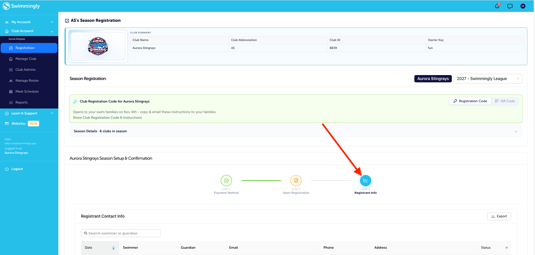
Step 1: Login to the Clubhouse and navigate to the "Registration" tab.
Step 2: Navigate to the last step of your registration process
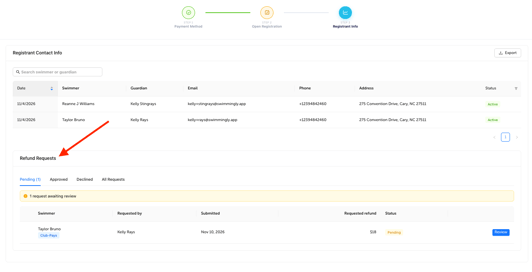
For Basic Registration this is Step 3. Proceed to scroll to the bottom of the page to view Refund Requests.
-
-
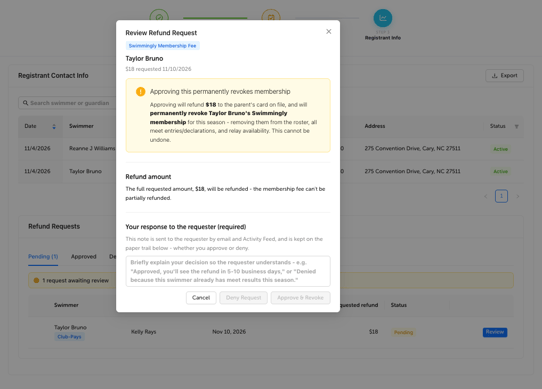
Once you click the blue "Review" button, you'll be asked to provide a brief description on if it was approved or denied.
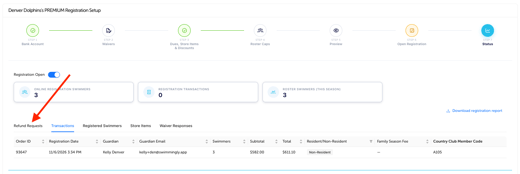
For Premium Registration this is Step 7. Proceed to "Refund Requests".
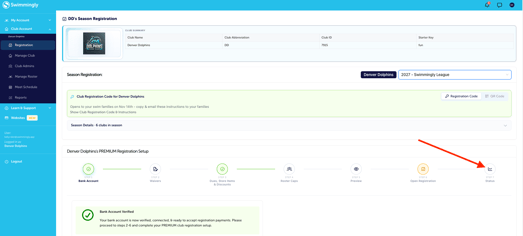
Refunding club dues for a swimmer automatically revokes that swimmer from the season. Revoking the swimmer permanently removes them from the season's roster and they are no longer eligible for swim meets.