![S_Icon_03.png]](https://support.swimmingly.app/hs-fs/hubfs/S_Icon_03.png?height=50&name=S_Icon_03.png)
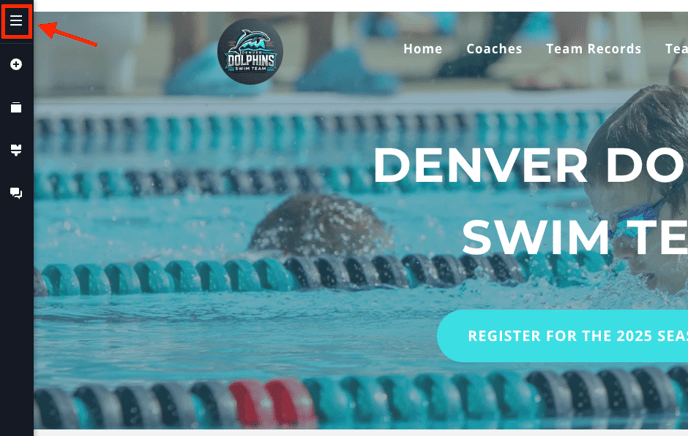
Step 1: Select the hamburger menu
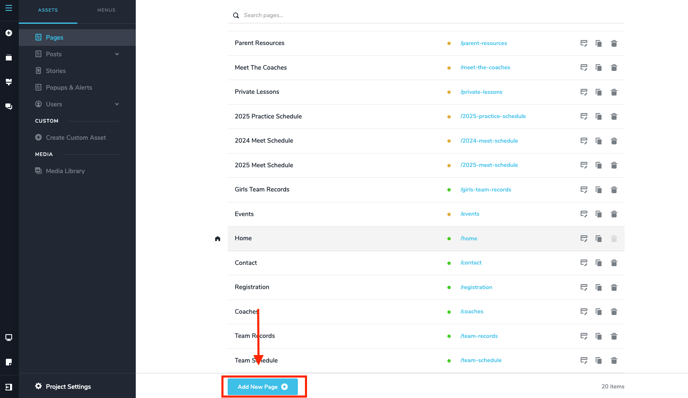
Step 2: Select "Add New Page" at the bottom.
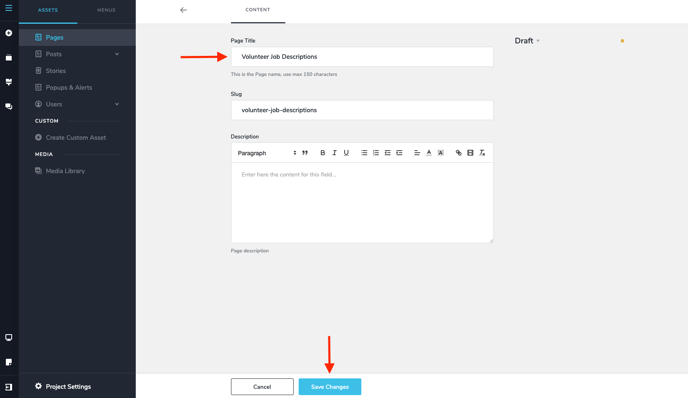
Step 3: Give your page a title (a slug will automatically be created for you, I'd suggest not changing this). You can add a description if you'd like. Then click "Save Changes" You can also publish the page from here as well by changing "Draft" to "Published".
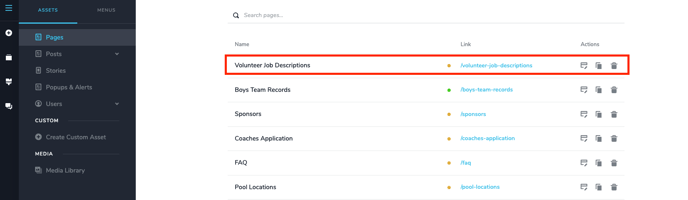
Step 4: You'll see your page show up in the list. From there, you can edit, duplicate, or delete the page. The yellow circle next to the link implies that the page is just a draft and is not live on your website. If you click on the slug/link you can preview the page. If you click on the name, you can edit the page title, slug, description, and publish the page.